Start with a conversation, then the settings
A location-sharing arrangement is easier to understand when everyone knows its purpose. Make time to talk before installing an app. Explain what you hope it will help with, invite questions and look at the sharing screen together. A quiet moment at home is usually better than a rushed conversation during a disagreement about being late.
This sheet is a discussion aid. It is not legal consent, a contract or a replacement for the permissions and responsibilities described in Eyrie's policies. Adapt the wording to your child's age and understanding, and revisit it as their routines and independence change.
1. Write down the reason you are sharing
Finish this sentence together: “We are using location sharing to help with…” Be specific: coordinating the school run, knowing which adult is doing pickup or checking that a journey has finished.
Then name a situation where you will use a message or conversation instead. A map will not explain why plans changed, whether somebody forgot their phone or how they feel. Agree that an unexpected pin or delayed update is a reason to check the facts, rather than immediate proof of wrongdoing.
2. Decide who is involved
List the grown-ups who should have access and why. Explain the difference between someone invited as an Eyrie guardian and a trusted contact who might receive an escalation message. Show the child the people involved rather than describing access as simply “the family.”
Before adding someone new, agree who will explain the change. Do not share passwords or give an adult someone else's account as a shortcut. Review access after changes in caring arrangements, when a phone is replaced or when a person no longer needs to be involved.
3. Be clear about information and limits
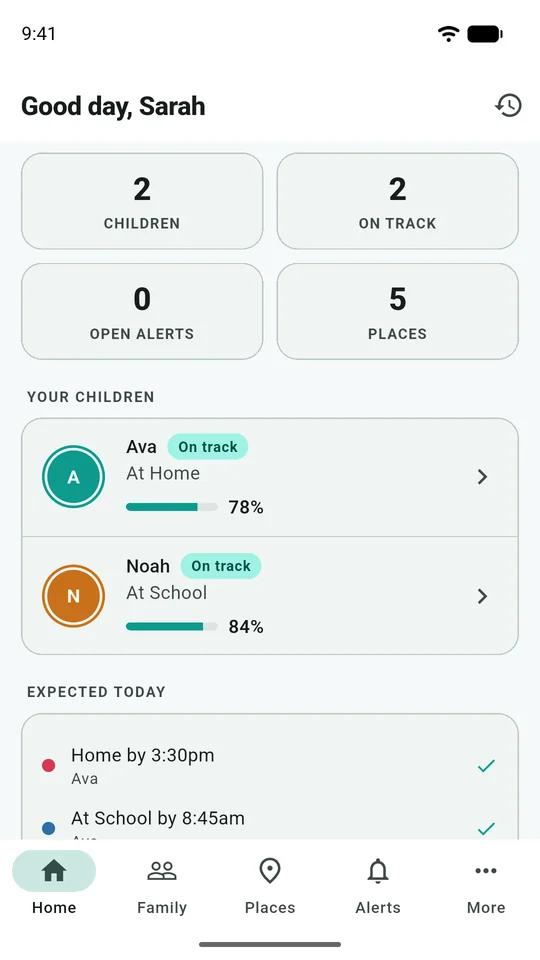
Open See what is being shared on the child's Eyrie home screen and read the transparency information. Explain that the phone reports location and relevant device signals. Eyrie also has its own family conversations; those are different from reading conversations in other apps.
Agree that you will not post screenshots showing a child's location, school, routine or family conversations in public. An image shared to ask for help can reveal much more than the error message. Crop or obscure identifying information before sharing outside the people who need it.
4. Plan for an ordinary delay
Choose a fallback when the phone goes quiet. For example: first read the last-report time, then send a message, then use the agreed contact method if a response is needed. Decide what the child should do if their battery is low or plans change.
There is no universal waiting period for a safety concern. Use the circumstances and your existing care arrangements. For immediate danger, seek help through the appropriate emergency services instead of waiting for an app update.
Your family discussion sheet
Print this page or copy these prompts to a private family note. This website does not collect your answers.
| Prompt | Your family's answer |
|---|---|
| We are sharing location because… | ______________________________ |
| The people who should have access are… | ______________________________ |
| If plans change, we will… | ______________________________ |
| If a location is old or looks wrong, we will… | ______________________________ |
| If the phone battery is low, we will… | ______________________________ |
| The first grown-up to contact is… | ______________________________ |
| If that person cannot be reached, we will… | ______________________________ |
| Before adding another guardian, we will… | ______________________________ |
| We will review this arrangement on… | ______________________________ |
Keep the completed sheet private, especially if it contains phone numbers or regular destinations. A useful agreement is one the family understands and can discuss again, rather than one that is filed away and forgotten.
Where to learn more
Australia's eSafety Commissioner encourages families using location-sharing tools to discuss why and when information is shared and who can access it. Read its guidance on location sharing, respect and privacy for additional context.
For the practical next steps, use family setup, messages and guardians and SOS and trusted contacts.